Why Professional Portraits Look Better Than Phone Photos
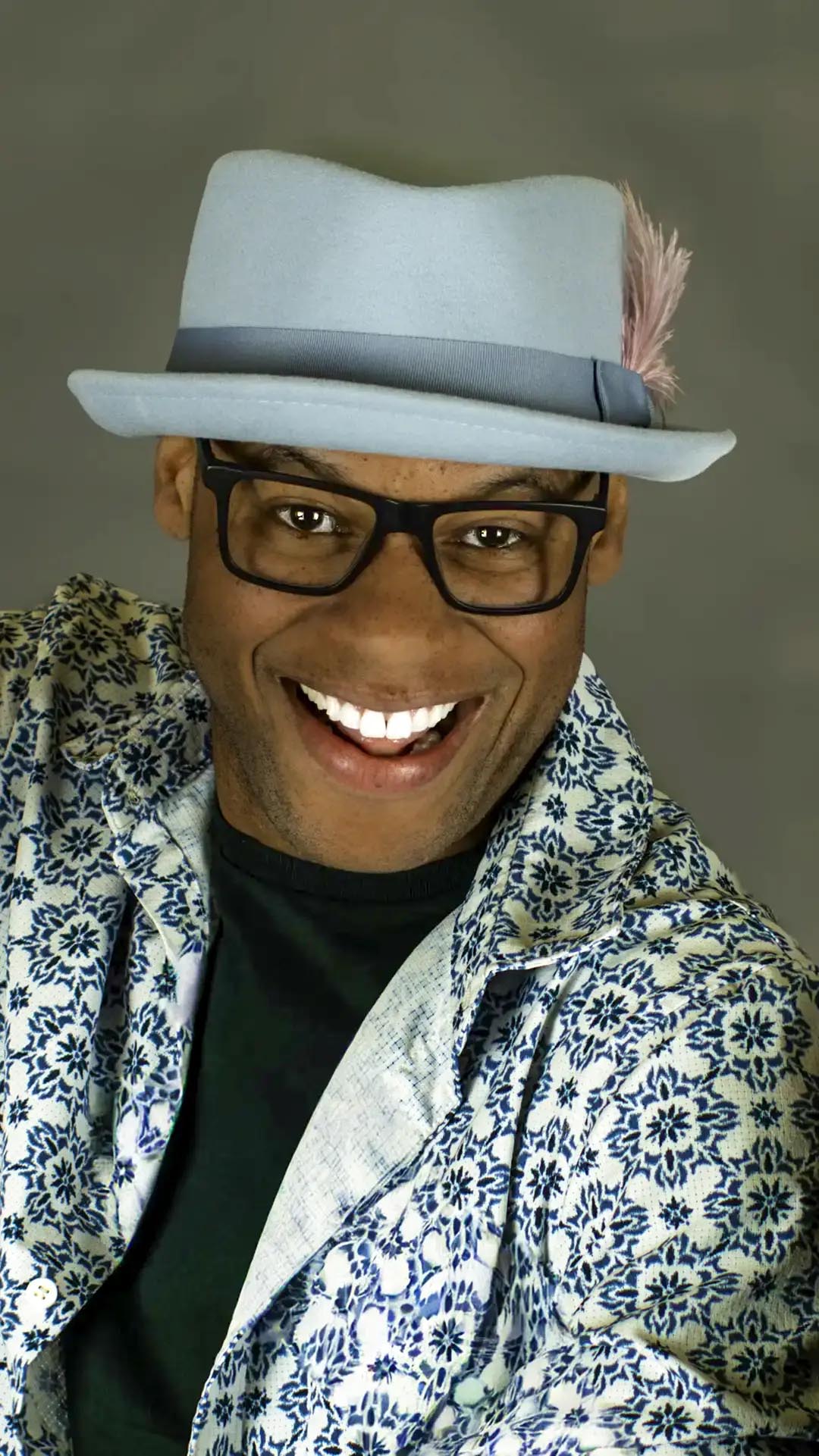
Modern smartphones produce remarkable photographs. They combine capable cameras with computational processing, automatic high dynamic range, face detection, stabilization, and instant editing. In favorable light, a phone image may look excellent on a screen.
A professional portrait still looks different—not simply because the photographer owns a more expensive camera. The difference comes from intentional decisions made before, during, and after the exposure. Lighting, camera position, lens choice, composition, posing, timing, editing, and the subject's experience work together.
A phone records what is placed in front of it. A professional portrait session designs the conditions in which a meaningful image can happen.
Estimated reading time: 11 minutes
It Is Not About the Camera
Camera quality affects resolution, dynamic range, autofocus, lens choice, and file flexibility. Those capabilities matter, especially in difficult light or for large final uses. They do not decide where the person stands, what the background communicates, or when an expression feels genuine.
Professional results begin with four less visible elements:
Vision: A clear idea of what the portrait should communicate and where it will be used.
Experience: The ability to recognize problems quickly and make useful adjustments under changing conditions.
Planning: Decisions about location, time, wardrobe, light, equipment, accessibility, and final formats.
Communication: Direction that helps a person understand what to do without feeling reduced to a pose.
A skilled photographer can make an effective portrait with a phone because the thinking travels with them. A costly camera in an unplanned situation can still produce an ordinary frame. Equipment expands options; it does not supply intention.
Lighting Creates Shape, Attention, and Mood
Light determines what the viewer notices and how three-dimensional features translate onto a flat image. Its direction affects facial shape. Its apparent size changes shadow transitions. Its position creates catchlights in the eyes. Its contrast controls whether a portrait feels open, restrained, graphic, or atmospheric.
Natural Light
A window, open sky, reflected wall, or low sun can provide beautiful portrait light. The photographer looks beyond brightness and studies direction, color, background exposure, and how long the condition will last. Moving the subject a few feet or turning the face slightly can change eye light, skin tone, and shadow depth.
Smartphones often lift shadows and compress highlights automatically. That creates an immediately readable image, but it may reduce the lighting hierarchy that gives a portrait depth. A photographer can decide whether to preserve contrast, soften it with reflection, or reposition the entire frame.
Flash
Flash adds light that the location does not provide. Off-camera placement can imitate a window, open facial shadows, separate a person from a dark room, balance a bright exterior, or create a more theatrical idea. Power and direction can remain consistent across a headshot team or branding sequence.
Flash is not automatically superior, and natural light is not automatically authentic. Each can be quiet or obvious. The decision depends on the person, environment, movement, schedule, and story. Compare the tradeoffs in Natural Light vs. Flash.
Shaping and Consistency
Softboxes, umbrellas, flags, curtains, reflectors, and nearby surfaces shape light by changing its size, direction, or spill. A photographer also watches for color contamination from green walls, warm lamps, or mixed daylight. Keeping the source-to-subject relationship stable creates consistency; changing it deliberately creates variation.
Phones can expose a face automatically, but they cannot decide why one side should be darker, whether a catchlight belongs at a particular angle, or whether the background should remain luminous. Those are visual judgments.
Lens Choice and Camera Position
Phone photographs are often made with a wide main lens from arm's length. At that close distance, the parts of the face nearest the camera appear proportionally larger than those farther away. This is perspective caused by camera position, not a moral failure of the phone or wide lens.
A photographer chooses working distance first, then selects a focal length that frames the portrait from that position. A 50mm lens on a full-frame camera often keeps enough environment for a natural sense of place. It encourages a moderate working distance and can move between a half-length portrait and a wider story.
A 70–200mm lens supports a longer camera distance, tighter control of the frame, and a narrower angle of view. The longer distance can make facial proportions appear calmer and reduces how much background enters the frame. At wide apertures, it can also create strong optical separation.
Compression is commonly attributed to the lens, but the apparent spatial relationship comes from camera distance. The lens lets the photographer choose that distance while maintaining the desired crop. This distinction matters because flattering perspective is designed by where the camera stands.
Phone portrait mode can simulate shallow depth of field by identifying the subject and blurring other areas. It is useful, but fine hair, transparent objects, hands, and overlapping details may confuse the depth map. Optical depth changes continuously through real space. Neither method is always better; they solve the visual problem differently. See 70–200mm vs. 50mm for portrait photography.
Composition Organizes the Portrait
Composition decides what remains inside the frame and how its parts relate. Before directing the person, a photographer studies the location for visual structure.
Background selection: Does the setting support the person's identity or compete with it?
Leading lines: Do architecture, streets, furniture, or shadows guide attention toward the subject?
Framing: Can doorways, windows, foliage, or foreground objects create containment and depth?
Layering: Is there a clear foreground, subject plane, and background?
Negative space: Is there room for stillness, text placement, or a sense of scale?
Environmental storytelling: What does the location reveal about the person, work, or moment?
A quick phone snapshot often begins with the person and accepts whatever appears behind them. A planned portrait may begin with the frame, light, and intended use, then place the subject precisely within those relationships. Small changes in camera height or lateral position can remove a bright exit sign, keep a tree from intersecting a head, or transform an empty wall into purposeful negative space.
Frame Composition offers practical methods for organizing people and environments without reducing every portrait to the same formula.
Posing Is Communication, Not a Command to Smile
Many people assume they are not photogenic because they feel uncertain in front of a camera. Professional direction replaces that uncertainty with manageable actions. Instead of asking for a generic smile, a photographer might adjust weight, shoulders, chin, hands, gaze, or breath, then invite movement or conversation.
Natural body language is still designed. Hand placement affects tension. Posture changes confidence. A small turn creates shape. Movement helps clothing settle and prevents the body from becoming rigid. Expression often appears in the transition between instructions rather than at the end of a countdown.
Good coaching also respects the individual. A corporate headshot, senior portrait, artist profile, and family photograph should not share one universal pose. Direction should fit the person's role, mobility, comfort, culture, and intended presentation.
The photographer watches continuously: fingers pressing together, a jacket pulling, hair crossing an eye, or a smile arriving before the rest of the face. This attention is difficult to provide while the subject is also holding the phone and evaluating themselves on the screen. Read How to Pose People Naturally for a fuller direction process.
Background Control Separates the Subject Without Erasing Place
Background blur is only one form of control. Separation can come from brightness, color, contrast, scale, focus, or a clear edge. A sharp environmental background may be essential when the location explains the portrait. A blurred background may be useful when visual detail has no narrative value.
Professional planning considers color harmony between wardrobe, skin, architecture, and light. It checks the edges of the frame for distractions and uses camera position to simplify overlaps. It can darken an unimportant wall, retain a meaningful tool, or frame the person against an area of tonal calm.
This is why a portrait made at f/8 can feel more intentional than one made at f/1.4. Depth of field is not a quality setting. It is one decision about how much information the photograph should carry.
Editing Refines What Was Created in Camera
Professional editing begins with selection. From a sequence of technically sound frames, the photographer identifies the images with the strongest expression, gesture, focus, and visual structure. Editing then creates a coherent finish.
Color and Exposure
Color correction establishes believable skin and manages differences among daylight, shade, flash, and indoor fixtures. Exposure adjustments preserve useful detail and guide attention. Consistency matters when several portraits will appear together on a website, campaign, or professional profile.
Retouching
Restrained skin work can reduce temporary blemishes, flyaway hairs, lint, or other distractions while preserving pores, lines, and identity. Retouching should not turn every face into the same surface. The purpose is to support presence, not replace it.
Cropping and Delivery
Cropping considers final use. A website hero needs negative space; LinkedIn requires a clear small avatar; print may need a different aspect ratio. Professional delivery can include consistent color, resolution, file format, and crops appropriate to each destination.
Editing cannot create an authentic expression, repair fundamentally unsuitable light without compromise, or recover important information outside the frame. It enhances decisions already made. It is part of the portrait, not a rescue plan.
The Client Experience Changes the Photograph
A portrait session begins before the camera appears. The photographer clarifies purpose, audience, tone, deliverables, and practical constraints. Location scouting identifies light, backgrounds, permissions, weather alternatives, power, accessibility, and quiet areas for direction. Wardrobe guidance connects color and texture to the setting without turning the subject into a costume.
During the session, communication creates confidence. The photographer explains what matters, demonstrates movement when useful, adjusts details respectfully, and keeps technical work from dominating the interaction. A prepared plan leaves room for unplanned expression because the essential problems have already been solved.
This experience affects the final image. A person who understands the process can settle into the frame. A photographer who is watching the person instead of troubleshooting every setting can recognize a brief, honest expression.
Professional service also continues after capture through selection, editing, file organization, delivery, backup, usage guidance, and predictable timelines. None of those steps is visible in a camera specification, yet all contribute to a portrait that can perform its intended job.
Phone Photography Is Wonderful Too
Smartphones are ideal for everyday memories, travel, family snapshots, behind-the-scenes moments, visual notes, and social media. They are present when a formal camera is not. Their automatic processing lets people photograph difficult scenes without studying exposure, and their immediacy helps images move quickly between people.
That convenience has cultural value. A spontaneous phone photograph can carry more personal meaning than a technically perfect file. Professional photography serves a different purpose: creating a planned visual statement, consistent business asset, significant milestone, or archival portrait with enough technical quality for many uses.
The choice is not phone or professional camera for every image. Use the phone for the life unfolding around you. Choose a professional process when the portrait needs deliberate authorship and lasting responsibility.
Real Portrait Examples
Professional Headshot
A headshot may appear small, but it represents a person across websites, directories, speaking materials, and professional profiles. Consistent light, controlled perspective, clear expression, restrained retouching, and multiple crops make the file useful. A team also benefits from matching camera height, background, and color. Explore professional headshots.
Professional Branding Portrait
Branding photography must communicate role, personality, environment, and intended audience. Planning identifies where images will appear and what visual variety is needed. The session may include direct portraits, working scenes, details, horizontal website frames, and vertical social crops. See Portland branding photography.
Environmental Portrait
An environmental portrait treats location as evidence rather than decoration. Lens, depth, lighting, and camera position decide which details explain the person and which become noise. A photographer may wait for changing weather, reshape a practical room, or allow part of the face to fall into shadow because atmosphere carries the story.
Senior Portrait
A senior session balances individual style, family significance, comfort, and variety. Scouting, wardrobe coordination, timing, and gentle direction keep the experience from becoming a sequence of repeated smiles. The resulting collection can move between confident direct portraits and quieter images that preserve the feeling of a transition.
These examples do not require maximum equipment. They require decisions connected to the portrait's use.
Common Misconceptions
Expensive cameras create better portraits: They expand technical options, but cannot replace observation, timing, composition, or communication.
Portrait mode replaces professional lenses: Computational blur is useful, but it does not replace deliberate camera distance, optical rendering, lighting, or direction.
Editing fixes everything: Editing refines a strong capture and cannot fully repair the wrong moment, perspective, or visual idea.
Professional photography is only about equipment: Planning, subject experience, consistency, selection, and delivery are central parts of the work.
Natural expressions cannot be directed: Clear prompts and movement often create more believable expression than leaving a nervous subject without guidance.
A blurry background makes a portrait professional: Separation matters only when it supports the story and intended use.
Phones make every decision automatically: Automation makes an image readable, but the photographer still determines meaning, position, timing, and frame.
Frequently Asked Questions
Can my phone replace a professional portrait session?
A phone can make excellent everyday portraits, but it does not replace the planning, direction, lighting, location decisions, consistent editing, and finished files of a professional session. The difference is the complete process, not only the recording device.
Why do professional portraits look more flattering?
Photographers choose camera distance, lens, light direction, pose, expression, and background to support the individual. Flattering does not mean hiding someone. It means making deliberate decisions that preserve recognizable features and confident body language.
Does editing make the biggest difference?
Editing matters, but it cannot replace weak light, an awkward moment, or a distracting composition. Thoughtful editing refines exposure, color, crop, and temporary skin details while preserving texture and the decisions made during the session.
Why are professional lenses important?
Different focal lengths and apertures give photographers options for working distance, framing, depth of field, low-light exposure, and background control. Perspective comes from camera position, so the lens is valuable because it helps the photographer choose that position and still make the required frame.
Should I hire a photographer if I have a new smartphone?
Hire a photographer when the image has an important job: representing a business, supporting a career, marking a milestone, or becoming part of a family archive. Use the phone when convenience, speed, and everyday memory matter most.
Is a professional camera always sharper than a phone?
Not in every viewing condition. Phones can create crisp images through strong processing, especially in good light. Professional systems offer greater control over optics, lighting, motion, depth, file latitude, and consistent output, but sharpness alone does not make a meaningful portrait.
Does portrait mode create the same background blur as a professional lens?
Portrait mode estimates subject depth and applies computational blur. It can work well, but hair, glasses, hands, and layered objects may reveal errors. Optical depth of field is formed during capture and changes naturally across distance rather than around a calculated subject mask.
Why do photographers take so many frames?
A sequence captures small changes in expression, posture, hand position, clothing, and focus. The photographer is not simply searching for luck; they are directing and refining, then selecting the frame where technical quality and human presence meet.
Can a professional photographer use a smartphone?
Yes. A photographer can apply the same observation, timing, composition, communication, and light awareness with any camera. The phone may be the right tool for scouting, behind-the-scenes work, travel, or an assignment designed around immediacy.
How much retouching should a professional portrait receive?
Retouching should match the purpose and agreed style. A useful standard is to correct temporary distractions while preserving lasting features, skin texture, and identity. Commercial beauty work, headshots, and documentary portraits may each require different restraint.
What should I do before a professional portrait session?
Clarify how the photographs will be used, share relevant brand or visual references, discuss wardrobe and accessibility needs, and arrive with realistic expectations. The photographer should translate that information into a practical plan and provide clear guidance.
The Camera Is One Part of the Process
Professional portrait photography combines planning, composition, communication, lighting, lens selection, posing, selection, and thoughtful editing. The camera matters, but it is one part of a larger creative and human process.
Smartphones make everyday photography more capable and accessible than ever. A professional session becomes valuable when the image needs a clear purpose, consistent execution, confident direction, and lasting impact.
Explore Portland portrait photography, browse Photography Education in the Journal, and learn about Shayne Blaylock. To schedule a portrait, branding, or headshot session, contact Shayne.